Bidirectional scanners, explained before you plug one in
Disclosure: this page contains Amazon affiliate links. As an Amazon Associate we earn from qualifying purchases, at no extra cost to you.
Hey there, fellow driveway mechanic — grab a creeper and a coffee, let’s talk scan tools. BiDi Scan is a plain-English guide to bidirectional scanners: OBD2 scan tools that don’t just read and clear trouble codes, but also send commands to the car’s modules, so you can switch on a fuel pump, cycle the ABS valves to bleed the brakes, run the cooling fans or reset a part after you replace it. Every guide here answers a question people really search before they buy one or after it arrives.
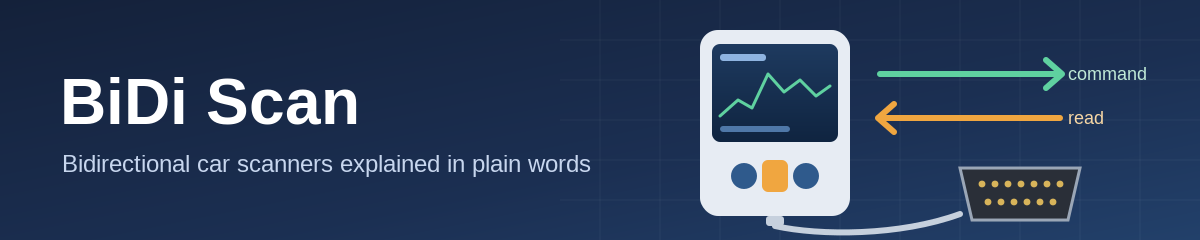
The first question most people ask is simply what a bidirectional scanner is and what the word means. A basic code reader only listens: it shows a code such as P0300 and the live data the engine reports. A bidirectional tool talks back, asking a module to do something so you can see whether the part responds. Our guides will explain that difference plainly — active tests, relearns and service resets, and where a tool’s “full bidirectional” label stops — written the way we would explain it to a friend in the garage.
Product pages are on their way, one tool at a time: each with our own spec table (form factor, screen or phone app, the systems it can command, vehicle coverage, update terms, connection type), who the tool suits, the honest downsides owners mention, a price range rather than a stale price, and a link to check today’s price on Amazon. While those arrive, you can browse bidirectional scan tools on Amazon and come back to compare.
Comparison pages will each answer one question at a time — the best bidirectional scanner for a DIY owner, the best one under a set budget, the best for a GM, Ford, Honda, BMW or Mercedes, the ones with lifetime updates or no subscription, the ones that add key programming or TPMS — instead of one long list that ranks everything the same way. Each comparison will link to the product pages it draws on, so you can read the detail behind every pick. There’s a small, very satisfying moment when you tap a button on a screen and hear the fuel pump hum or the cooling fan spin up on command.
Practical questions get their own short guides too: how to use a bidirectional scanner step by step, which active tests are safe to run with the engine on or off, how to bleed ABS brakes with one, how to retract an electronic parking brake for a pad change, how a throttle or steering angle relearn works, and what to do when the tool won’t connect. If there is a question you want answered first, send it our way.
Coverage and cost get honest attention, because that is where buyers get surprised. A tool can be strong on one brand and thin on another; some newer vehicles, such as many 2018-and-later Chrysler, Dodge, Jeep and Ram models, have a security gateway that needs the tool registered before it can clear codes or run tests; and many tools include one or two years of updates before a paid renewal, while others promise lifetime updates. We will check each maker’s own coverage list and update terms and date what we find, so you can match a tool to your car.
BiDi Scan is written by Kerry Woods for DIY mechanics, weekend wrenchers, small shops and anyone who wants a scan tool explained without jargon. Everything comes from what can be checked — the makers’ spec pages and manuals, their vehicle coverage lists, owner questions on Amazon, mechanic forums and what owners report after months of use — and we never claim to have tested a tool we have not used. Read about BiDi Scan, see every guide, or get in touch with a question, a correction or a tool you want covered next. Happy wrenching — and enjoy the day your car finally tells you what it’s been trying to say.